What Is the Electrical Symbol for a Fuse?
Quick visual answer
The standard electrical symbol for a fuse is a straight line with a small rectangle or oval in the middle, placed in series with the conductor. Visually, you’ll usually see one of these forms:
- IEC style (common globally): a straight line with a small rectangle (or narrow bar) interrupting it
- ANSI/IEEE style (common in North America): a straight line with a small “S”‑shaped curve or loop in the middle
Both mean the same thing: a protective device that will melt (blow) and open the circuit when current is too high.
IEC 60617 fuse symbol shape and meaning
Under IEC 60617 (used across Europe, much of Asia, and many international projects), the fuse symbol is:
- A straight conductor line
- With a small rectangular block (sometimes a thin bar) in series
- Optionally, a label like “F1”, “F2”, or “FU1” next to it
What it means on the drawing:
- The rectangle = the fuse link (the element that melts)
- The line = the circuit path through the fuse
- The tag (F1, etc.) = fuse identifier that links to the parts list and rating (e.g., 2 A, gG, 500 V)
If you’re working on modern international or IEC-based schematics, this is usually the fuse symbol you’ll see.
IEEE and ANSI fuse symbol variations
In IEEE 315 and ANSI Y32.2 style drawings (common in the US and Canada), the electrical symbol for a fuse often looks slightly different:
- A straight line with a small S-curve, loop, or curved bulge in the middle
- Or a narrow rectangle with rounded ends in older prints
- Labeled as F, FU, or with detailed designations like F1, F2, etc.
These variations still mean:
- “This is a fuse or fuse link; it opens once and must be replaced.”
- The exact style (S-curve vs small rectangle) depends on the age of the standard and the CAD library used.
When you’re on a North American substation drawing or control schematic, assume any small inline loop/oval in a conductor labeled “F” is a fuse unless the legend says otherwise.
Where you’ll see the fuse symbol on real drawings
In real-world schematics, the fuse symbol shows up everywhere current needs simple, sacrificial overcurrent protection. You’ll typically see it:
Single-line diagrams:
- Between the source (transformer, busbar) and branch circuits
- As current-limiting fuses for feeders or capacitor banks
Panel and control wiring diagrams:
- On the supply to control transformers
- In front of PLC input/output cards, relays, and sensors
- As individual protection for small loads and auxiliaries
PCB and device schematics:
- On the main DC or AC input to a board
- Protecting USB, motor drivers, or battery lines (often as resettable PTCs but still drawn as a fuse symbol with a variant)
Automotive and machinery wiring diagrams:
- In fuse boxes (blade fuses)
- Protecting lights, pumps, ECUs, and accessories
Whenever you see a small inline symbol in series that’s specifically labeled with F… and an ampere rating, you’re looking at the electrical symbol for a fuse.
Electrical symbol for fuse in global standards
When you’re reading any electrical drawing, the electrical symbol for fuse changes slightly by standard, but the meaning is the same: a protected, sacrificial link in the circuit.
IEC 60617 fuse symbol (Europe, Asia, Australia)
Under IEC 60617 (used across most of Europe, Asia, Australia):
- Fuse is drawn as a small rectangle in series with the conductor
- Often inside or on a straight line (single‑line diagrams)
- Additional letters/numbers near the symbol show rating and type (e.g. gG, 10 A)
This is the symbol you’ll see in most modern global schematics and in many fuse protection diagrams and panels.
IEEE 315 and ANSI Y32.2 fuse symbol (North America)
In IEEE 315 / ANSI Y32.2 (North America):
- Classic symbol: small circle with a line through it, or an S‑shaped link in series
- On single‑line diagrams, it may look like a small loop / link on the feeder
- Older US drawings sometimes add a small label like “F” or fuse size next to it
Most US industrial and utility drawings still follow these variants.
DIN and BS 3939 fuse symbols (legacy)
For DIN and older BS 3939 (Germany, UK legacy):
- DIN: similar to IEC but sometimes more stylized rectangle or link
- BS 3939: often shows a small box with a line or a fuse link symbol
- You’ll still see them on legacy plant and old building drawings
If you work in maintenance on older sites, you’ll run into these regularly.
Fuse symbol comparison table (IEC vs IEEE vs ANSI vs DIN)
| Standard | Typical shape | Where used most |
|---|
| IEC 60617 | Small rectangle in series | Europe, Asia, Australia, global OEMs |
| IEEE 315 | Circle or S‑shaped link | US industrial & utility drawings |
| ANSI Y32.2 | Similar to IEEE fuse link | North America (legacy & current) |
| DIN / BS 3939 | Box / link variants | Older EU/UK industrial diagrams |
How CAD libraries and PDFs show the fuse symbol
Modern CAD and documentation tools hide these differences behind libraries:
- AutoCAD, EPLAN, Visio, SolidWorks Electrical:
- Provide IEC and ANSI/IEEE fuse blocks as standard symbols
- Let you choose region / standard and auto‑swap the symbol set
- PDF schematics:
- Usually export from CAD with the native standard preserved
- Fuse symbol is often grouped with text: rating (A), type (gG, aR, etc.), and ID (F1, F2…)
If you draft diagrams, lock in one standard per project and build your own fuse symbol library (IEC + ANSI variants) so your drawings stay consistent and easy to understand worldwide.
Types of fuses and their electrical symbols
When you’re reading a wiring diagram, the electrical symbol for a fuse tells you both what is protecting the circuit and how it behaves when something goes wrong. Different fuse types have slightly different fuse schematic symbols so you can tell them apart at a glance.
Cartridge fuse electrical symbol and where it’s used
The cartridge fuse symbol is usually shown as a straight line with a small rectangle or bar in the middle (IEC style), or a line with a small loop/elongated oval (ANSI/IEEE style). Both mean “fuse link in series”.
You’ll typically see this symbol in:
- Residential and commercial distribution boards
- Industrial control panels
- Power supplies and PCB inputs
Next to the symbol, designers usually note something like:
- “F1 10 A, gG, 500 V” – fuse ID, amp rating, utilization category, and voltage.
Automotive blade fuse symbol in wiring diagrams
In automotive wiring diagrams, the blade fuse symbol is often drawn as:
- A small rectangle or square with two short lines (terminals)
- Sometimes with the fuse rating (e.g., “15 A”) written inside or above
On real vehicle diagrams and auto electrical fuse box layouts, these symbols are grouped by circuit (lights, ECU, audio, etc.) so you can match each blade fuse to its function and rating.
Resettable fuse / PTC symbol and how it’s drawn
A resettable fuse (PTC) doesn’t melt like a normal fuse, so its symbol is slightly different:
- Often shown as a standard fuse symbol with a diagonal slash or “P” tag
- Or as a resistor-like symbol with a “PTC” label
On schematics, you’ll usually see labels like:
- “F_PTC1 0.75 A hold, 30 V” – making it clear this is a resettable device, not a one-shot fuse.
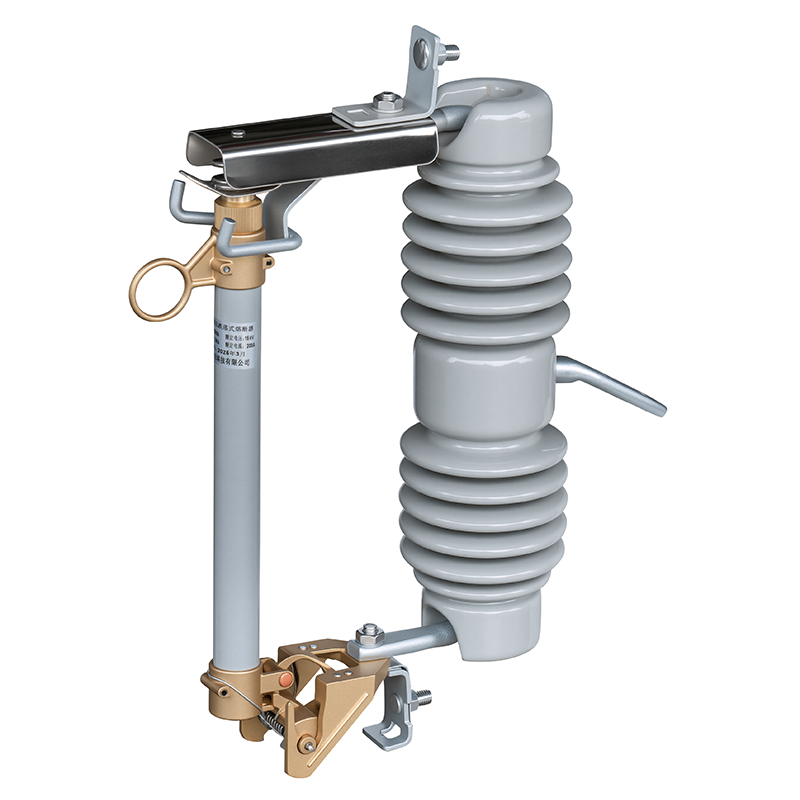
High voltage fuse symbol in power and substation schematics
For transmission and distribution, the high voltage fuse symbol is more stylized to stand out:
- A fuse symbol with an additional arc or lightning-like mark
- Sometimes drawn inside a circle or next to HV line symbols
You’ll see this in substation drawings and medium-voltage switchgear schematics, usually annotated:
- “HV FUSE 63 A, 12 kV, current-limiting”
Thermal fuse symbol in appliance and PCB layouts
A thermal fuse opens when temperature gets too high, not just current. Its symbol often looks like:
- A fuse in series with a small temperature indicator, or
- A fuse symbol with a “T” or °C note
Common places you’ll see it:
- Appliances (heaters, dryers, coffee machines)
- Power supplies and chargers
- PCB layouts for battery packs
Examples of labels:
- “TF1 10 A, 130 °C, 250 V”
How fuse ratings and types are labeled next to the symbol
No matter which electrical fuse symbol is used, the meaning is completed by the text next to it. Typical labeling right above or under the symbol:
- ID: F1, F2, FU1, etc.
- Current rating: 500 mA, 2 A, 32 A, etc.
- Voltage rating: 24 V, 250 V, 500 V, 1 kV
- Speed / type:
- F (fast-acting)
- T (time-delay/slow-blow)
- gG, gR, aR (IEC utilization categories)
- Special type: “PTC”, “HV”, “THERMAL”, “BLADE”
Example line on a schematic:
- F3: 5 A T, 250 V, cartridge fuse
- F6: 20 A blade fuse, 12 V automotive
- F_PT1: 1.1 A PTC, 30 V
Once you know the basic shapes and how the ratings are written, identifying any fuse protection symbol in a drawing becomes very quick and reliable.
How to read the electrical symbol for fuse in schematics
When you see the electrical symbol for a fuse in any schematic, read it as “overcurrent protection point”. It marks the exact spot where the circuit will open if the current gets too high. Next to the symbol, you’ll usually see:
- Rating: e.g. “10 A”, “500 mA”, or “32 A”
- Voltage: e.g. “250 V”, “500 V”
- Type: fast-blow (F), time‑delay/slow‑blow (T), high‑speed, etc.
Always read the fuse symbol together with its label so you know:
- What it’s protecting
- How much current it can safely carry
- How fast it will trip compared to a circuit breaker or other protection device
If you need a quick refresher on how fuses actually protect wiring and devices, I walk through the basics in this guide to electrical fuses and circuit breakers.
Finding the fuse symbol in single‑line diagrams
In single‑line diagrams, the fuse symbol is usually drawn:
- In series with the feeder or branch
- Right after the source, breaker, or disconnect
- Near transformers, motors, and control power circuits
Look for:
- A small fuse symbol on the line feeding a load (motor, transformer, panelboard)
- A fuse in series with a switch forming a fused disconnect
- Labels like FU1, F1, F2… in the legend
If the line has both fuse and breaker, the fuse is usually closer to the load or part of a fused switch package.
Fuse symbol placement in detailed control and wiring diagrams
On detailed control or wiring diagrams, the electrical symbol for fuse shows up:
- On the incoming 24 VDC / 120 VAC control supply
- In series with each control branch (e.g. PLC I/O, sensors, solenoids)
- Before small terminal blocks feeding field devices
Good drawings will:
- Place the fuse symbol as close to the supply as possible
- Label fuses clearly: F1 – 2A 24 VDC, F3 – 500 mA, etc.
- Show each fuse on its own line so you can troubleshoot quickly
When you’re tracing a fault, always follow the line from the power source to the load and spot each fuse symbol in between.
Fuse symbol with disconnect switches and circuit breakers
You’ll often see fuses combined with disconnect switches and circuit breakers:
- Fused disconnect: switch symbol plus a fuse symbol in series
→ Used as both isolation and overcurrent protection - Breaker + inline fuse: breaker symbol first, then a fuse symbol closer to the load
→ Breaker handles main fault; fuse protects a sensitive component or control circuit - Switch + breaker + fuse in larger systems, especially where selective coordination is needed
On the schematic:
- The breaker symbol usually sits closest to the source
- The fuse symbol is closer to the load or specific device
- The disconnect symbol indicates where you can safely isolate the circuit for work
Examples of fuse symbols in residential panel diagrams
In residential or small commercial panel diagrams, the fuse symbol appears:
- In older fuse boards: each branch circuit protected by a fuse instead of a breaker
- In appliance schematics: inline fuse symbol on the line (L) conductor, often labeled “FUSE 15 A”
- In sub-panels or surge devices: small fuses protecting control electronics
Typical use cases:
- Oven, dryer, or HVAC control boards with thermal fuse or cartridge fuse symbols
- Meter base or main service where a fused disconnect is shown
If you’re troubleshooting a home appliance, the thermal fuse symbol in its wiring diagram is critical; I break down a real case on a General Electric dryer thermal fuse, which is a good practical example of what you’re seeing on the schematic.
Industrial control panel examples with fuse symbols
In industrial control panels, you’ll see a lot of fuse symbols, especially protecting:
- Control transformers (e.g. F1 on primary, F2 on secondary)
- PLC power supplies and I/O groups
- VFDs, soft starters, and contactor coils
- Small loads such as indicators, sensors, relays
General layout:
- Main supply → main breaker → control transformer → secondary fuse → control bus
- Each outgoing control circuit often gets its own small fuse, so one fault doesn’t kill the whole panel
These fuses are usually grouped and numbered (FU1–FU12) so you can match the drawing to the actual fuse holders in the cabinet.
Automotive wiring diagram examples with blade fuse symbols
In automotive diagrams, the electrical symbol for a fuse usually represents a blade fuse in the fuse box:
- Labeled with the fuse number (e.g. F15, F32) and rating (10 A, 15 A, 20 A)
- Placed between the battery/ignition feed and:
- Headlights, horn, ECU, fuel pump, infotainment, etc.
How to read it:
- Find the fuse block drawing (e.g. “J519 Fuse Panel”)
- Match the fuse symbol + ID in the diagram to the physical location in the car
- Use the rating next to the symbol to confirm you’re pulling the right fuse
Blade fuse symbols are usually simple and rectangular, but the meaning is the same: overcurrent protection point in that branch.
PLC and control system drawings with fuse protection symbols
On PLC and automation drawings, fuse symbols are essential for protecting:
- PLC CPU power (24 VDC or 120 VAC feed)
- Digital and analog I/O groups
- Field device loops (sensors, valves, actuators)
You’ll typically see:
- A fuse symbol right after the 24 VDC power supply output
- Separate fuses for each I/O group (DI, DO, AI, AO)
- Fuse labels like F1: PLC SUPPLY 2 A, F4: DO GROUP 1 1 A
When you’re commissioning or fault-finding:
- Start at the power supply, follow through the fuse symbol, then to the PLC terminal
- If the PLC is dead but the supply is fine, the fuse symbol in the schematic tells you exactly which physical fuse to check
Reading these fuse symbols correctly saves a lot of time and prevents you from randomly replacing power supplies or PLC modules when all that’s blown is a simple fuse.
Avoiding mistakes with the electrical symbol for fuse
Using the wrong electrical symbol for fuse can cause real problems on site – from mis‑wiring to wrong protection devices being installed. Here’s how I keep things clean and consistent in drawings.
Fuse symbol vs circuit breaker symbol
Don’t mix these up on schematics:
- Fuse symbol (IEC): simple straight line in a small rectangle / capsule – fixed link that melts once.
- Circuit breaker symbol: opening contact symbol, often with a pivot or “switch” look, sometimes with trip unit marks.
Quick rule:
- If the device is resettable by switching, use a breaker symbol.
- If the device must be replaced after operation, use a fuse symbol.
Outdated or regional-only fuse symbols
You’ll still see old DIN, BS 3939, or custom company symbols:
- Old symbols may look like a zig‑zag, loop, or generic resistor.
- Many are not compliant with IEC 60617 or IEEE/ANSI today.
- For new documentation, always switch to the current IEC or IEEE fuse symbol and keep legacy symbols only in archive drawings.
Mixing IEC fuse symbols with ANSI/IEEE
On global projects, this is a common trap:
- Don’t use IEC fuse symbols on a drawing that follows ANSI/IEEE unless the legend clearly says so.
- Pick one standard per project (IEC vs ANSI/IEEE) and lock it in for:
- Fuse symbol
- Circuit breaker symbol
- Disconnector / load‑break switch symbol
If you’re working on high‑voltage designs and ordering gear like a high voltage fuse, make sure the symbol standard matches the manufacturer’s documentation to avoid confusion between fuses, reclosers, and breakers.
Misreading fuse ratings and protection zones
The symbol only shows “this is a fuse.” The real safety info is in the text next to it:
- Always label:
- Rated current (e.g. FUSE 16 A gG)
- Type (gG, aM, fast‑acting, time‑delay, HV fuse, etc.)
- Voltage class (e.g. 500 V, 12 kV)
- Watch the protection zone:
- Check what the fuse is actually protecting: feeder, motor, control transformer, device.
- Follow the single‑line flow so you don’t assume the fuse is upstream or downstream of the wrong load.
Best practices for consistent fuse symbol usage
To keep your diagrams clear and safe:
- Define the standard: IEC 60617 or IEEE/ANSI – write it on the title block.
- Use one fuse symbol style per project – no mixing.
- Add a legend: show the exact electrical fuse schematic symbol used and its meaning.
- Always label: rating, type, and purpose (e.g. F1 – CONTROL FUSE, 2 A, gG).
- Use CAD libraries: create or import a standard fuse symbol CAD block so every drawing in your company looks the same.
- Review before issue: check that fuses are not drawn as breakers, and that every fuse symbol has a clear tag and rating.
Clean, standard fuse protection symbols save time during troubleshooting, and they prevent expensive mistakes when panels and protection systems go into production.
Electrical symbol for fuse vs circuit breaker symbol
Visual comparison: fuse symbol vs circuit breaker symbol
On most modern schematics:
At a glance:
- Fuse symbol = “small, simple link”.
- Breaker symbol = “mechanical switch that can open and close”.
How operation differs on the schematic
On the drawing, the fuse symbol tells you:
- It opens once when current exceeds its rating.
- It must be replaced or reset (PTC) manually.
- Protection is fast, usually for short‑circuits and overcurrent.
The circuit breaker symbol tells you:
- It trips open, but can be reclosed without replacing parts.
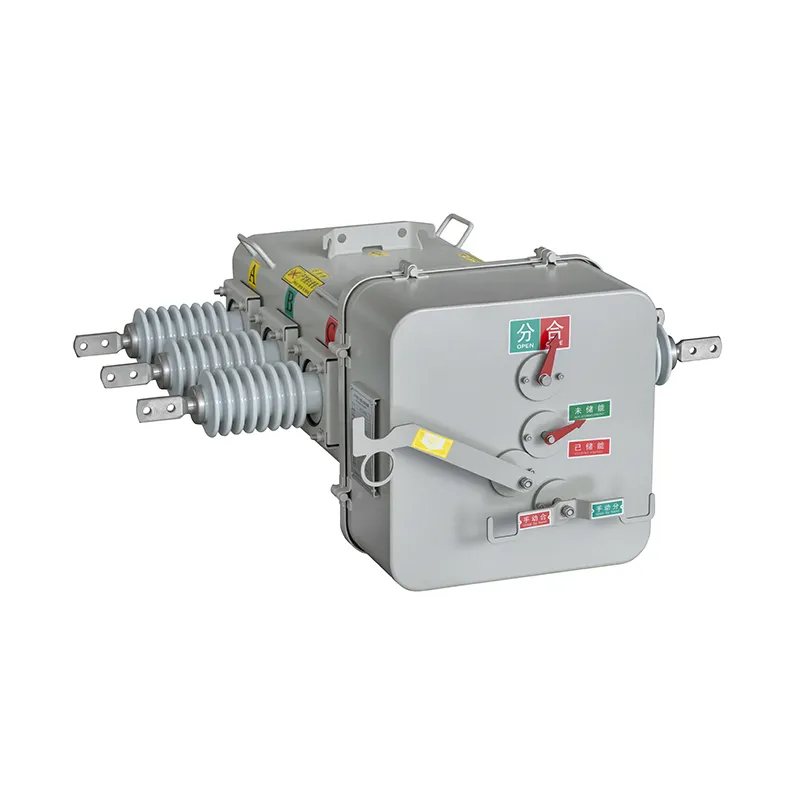
- It can be manually operated as a switch and can include remote control (especially in medium‑ and high‑voltage gear like outdoor vacuum breakers).
- Trip units may be thermal, magnetic, or electronic, with adjustable settings.
On schematics, that difference matters for maintenance, protection coordination, and switching operations.
When to use a fuse symbol instead of a breaker symbol
Use the electrical symbol for fuse when:
- Protecting single components or small circuits (control transformers, PLC inputs, sensors, PCB traces).
- You want very fast short‑circuit protection (e.g., semiconductor fuses).
- Space and cost are tight (small control panels, appliance boards, automotive blade fuses).
- Protection is local and doesn’t need remote operation.
Common places:
- Control cabinets for machines.
- PCB schematics (cartridge fuses, resettable PTCs).
- Automotive wiring (blade fuse symbol in fuse boxes).
When to use a breaker symbol instead of a fuse symbol
Use the circuit breaker symbol when:
- The device must act as both protection and a switch (feeder breakers, main incomer).
- You need frequent manual switching or remote operation/automation.
- Currents are high (feeders, motors, distribution circuits).
- You need selective tripping and adjustable settings.
Typical uses:
- Main breaker in a residential panel.
- Feeder and incomer breakers in LV/MV switchgear.
- High‑voltage lines using vacuum or SF₆ breakers similar to medium‑voltage breaker assemblies.
Common combo drawings where both symbols appear
You’ll often see fuse and breaker symbols together in:
- Motor circuits:
- Main breaker symbol feeding a motor starter, with small fuses protecting the control transformer or electronics.
- Control panels:
- Incomer breaker at the top of the single‑line, multiple fuse symbols downstream for PLC, I/O, sensors, and auxiliary supplies.
- Substation and distribution diagrams:
- High‑voltage breaker symbol for the main line, fuse symbols on VT/CT auxiliary circuits or small loads.
- Residential / commercial boards:
- Main breaker plus fuse carriers for special circuits or equipment needing specific fuse types.
On these combo drawings, checking the symbol shape first makes it easy to tell which points in the system are switchable devices (breakers) and which are sacrificial protection elements (fuses).
Using downloadable electrical fuse symbols in software
When you’re drafting fast, having clean, ready‑to‑drop electrical symbols for fuses in your software is a big time saver. I always recommend building a small, consistent symbol library once, then reusing it across projects so your team, clients, and inspectors all read your drawings the same way.
Downloading vector and PNG fuse symbols for projects
For most projects, you’ll want two basic formats:
- Vector (SVG, DWG, DXF) – best for CAD and scalable diagrams
- PNG – quick use in reports, manuals, and presentations
Look for symbol packs that clearly label:
- IEC fuse symbol (IEC 60617 style)
- ANSI / IEEE fuse symbol
- Dedicated icons for cartridge fuses, high‑voltage fuses, and blade fuses
You can also pull reference diagrams and symbol examples from professional resources like our power equipment and transformer product pages, then standardize those shapes into your own library.
Fuse symbol CAD blocks for AutoCAD and similar tools
In AutoCAD, AutoCAD Electrical, and similar CAD tools, use CAD blocks for repeatable fuse symbols:
- Create blocks for:
- Single fuse
- Fuse with disconnect
- Fuse in series with CTs/VTs or switches
- Store them in a shared network library so the whole team uses the same IEC or ANSI style
- Name blocks clearly: FUSE_IEC, FUSE_ANSI, FUSE_HV, FUSE_BLADE, etc.
This keeps panel layouts, single‑line diagrams, and substation drawings visually consistent with your other protection devices like current transformers or voltage transformers (for example, when you show a fuse in series with a medium‑voltage CT).
Using fuse symbol libraries in Visio and EPLAN
In Visio and EPLAN, stencils/macros speed things up:
- Visio
- Import or create a fuse stencil (IEC or ANSI style)
- Save it as a custom template for wiring diagrams and control panels
- EPLAN
- Use macro symbols for different fuse types (gG, aR, blade, HV)
- Attach device data (rating, type, manufacturer) to the symbol so BOMs and device lists generate automatically
Exporting fuse symbols as PDF, SVG, and image files
When you share drawings, you’ll usually export your fuse symbols as:
- PDF – standard for approvals, tenders, and field use
- SVG – best for web, manuals, and scalable vector graphics
- PNG/JPG – quick snapshots for documentation or training slides
Always check:
- Lines remain sharp at zoom
- Text near the fuse symbol (rating, type, reference) stays readable
- The fuse vs circuit breaker symbols remain clearly distinct after export
Building your own standard fuse symbol library for fast drafting
If you design often, build a small internal standard:
- Pick one symbol set: IEC 60617 or ANSI/IEEE as your default
- Create a library with:
- General fuse symbol
- Cartridge fuse
- Blade fuse (automotive)
- High‑voltage fuse
- Thermal / resettable fuse (PTC)
- Add attributes: rating (A), voltage (kV), breaking capacity, type (gG, aM, etc.)
- Document usage rules in your drawing legend so anyone reading your schematics knows exactly what each fuse symbol means
Once this is set up, drafting becomes drag‑and‑drop, and your panel, substation, and control system drawings stay clean, professional, and easy to interpret worldwide.
How the electrical symbol for fuse evolved
Early fuse symbols in 20th‑century schematics
In early 20th‑century drawings, the electrical symbol for a fuse was all over the place.
You’d see:
- A simple zig‑zag or loop in the line
- A small rectangle or box in series with the conductor
- Hand‑drawn marks that changed from company to company
These symbols did the job locally, but they made cross‑border projects painful because no one drew fuses the same way.
Shift toward IEC and IEEE fuse standardization
To stop that confusion, standards bodies stepped in.
- IEC 60617 in Europe and much of Asia settled on a straight conductor with a small rectangle or narrow block to mark the fuse link.
- IEEE 315 / ANSI Y32.2 in North America pushed more consistent, line‑based fuse symbols for single‑line and protection diagrams.
The goal was simple: a fuse symbol should look the same whether you’re reading a low‑voltage panel drawing or a 10 kV ring main unit one‑line, like the kind used in modern RMU switchgear with integrated fuses.
Why legacy drawings still use old fuse symbols
You’ll still find old or custom fuse symbols in:
- Brownfield plants and substations
- Utility archives
- Long‑running OEM product lines
Teams often keep the original symbology because:
- Updating thousands of drawings is expensive
- Maintenance staff already “think” in those old symbols
- Regulatory files must match the original issued design
That’s why it’s normal to see mixed styles: legacy symbols on old feeders and IEC/IEEE symbols on new extensions.
How CAD and global projects pushed symbol unification
Once electrical CAD and global EPC work became the norm, the pressure to unify the electrical symbol for fuse went up fast.
- CAD libraries started shipping with IEC/IEEE‑compliant fuse blocks by default.
- Multinational projects needed one symbol set everyone could read.
- Digital revisions made it easier to migrate from custom symbols to standard ones over time.
Now, most new switchgear, transformer, and medium‑voltage projects—from simple boards to compact 10 kV RMU systems with fused feeders—lean on IEC 60617 or IEEE/ANSI symbols, giving you a clean, consistent fuse symbol across drawings, regions, and software.
FAQs about the electrical symbol for fuse
What is the universal electrical symbol for fuse?
In most modern drawings, the “universal” electrical symbol for a fuse is:
- A straight line with a small rectangle or oval in the middle, or
- A small rectangle in series with the conductor line (IEC 60617 style).
If you see a narrow rectangle placed in series with a wire and labeled with something like F1, F2, FU1 plus a rating (e.g., 10 A gG 500 V), you’re looking at a fuse.
Is the electrical fuse symbol the same in the US and Europe?
Not exactly, but they’re easy to recognize once you know what to look for:
- Europe / IEC (IEC 60617): Simple line + rectangle/oval, very minimal.
- US / IEEE / ANSI: Often a small rectangle or “S” / zig‑zag style symbol in series.
Both represent a fusible link that opens under overcurrent. On real gear like high‑voltage switchgear and distribution cabinets, manufacturers usually follow IEC symbols for global compatibility.
How do I insert a fuse symbol in AutoCAD or EPLAN?
AutoCAD / AutoCAD Electrical:
- Use built‑in schematic symbols libraries (e.g., “Fuse” under IEC/ANSI library).
- Insert via ICON MENU → Schematic → Protection → Fuse.
- Block names often include “FUSE” or “FU”.
EPLAN:
- Go to Insert → Symbol and filter by “fuse” or standard (IEC/EN).
- Use project templates that already have macro symbols for fuses.
- Set symbol properties: tag (F1, F2), rating, breaking capacity, fuse type.
What does a dotted or dashed fuse symbol mean?
Dotted or dashed styling usually indicates special conditions, depending on the legend:
- Dotted outline around the fuse: optional / future / not currently installed.
- Dashed connection line: wiring or fuse not yet physically connected, or existing but not part of normal operation (check drawing notes).
- Fuse in dashed enclosure: fuse inside a device or module.
Always check the drawing legend; some companies use their own conventions.
Are AC and DC fuse symbols different on diagrams?
The base symbol is usually the same, but the difference is in the labeling:
- Markings like “AC”, “DC”, or combined ratings: e.g. 10 A 500 V AC, 10 A 125 V DC.
- Specialized DC fuses (PV, battery, EV) are often labeled gPV, aR, gR etc.
On high‑power and substation drawings, you might see a dedicated high‑voltage fuse symbol plus clear AC/DC ratings next to it.
Where can I download standard fuse symbols for free?
You can find standard fuse symbols and CAD blocks from:
- Official or semi‑official IEC/IEEE symbol libraries (often as DWG/DXF or PNG).
- Free CAD block platforms (search “fuse symbol CAD block”, “IEC 60617 fuse symbol”).
- Manufacturer libraries from switchgear, panel, and distribution box suppliers.
I recommend using libraries that clearly state IEC 60617, IEEE 315, or ANSI compliance so your fuse symbols match real‑world equipment and international project standards.